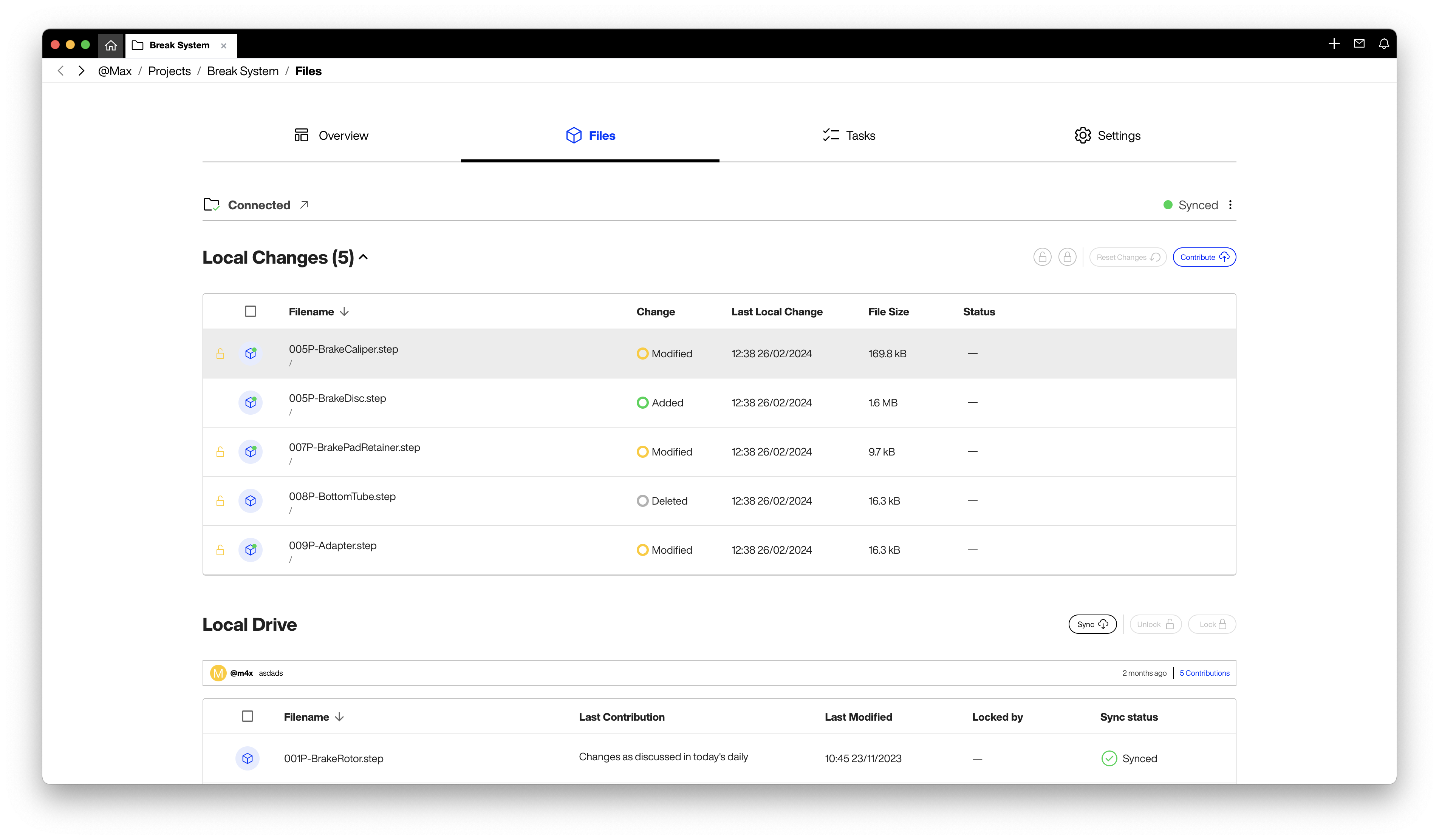
<aside> 💡 Notion Tip: Once installed, you can connect your Wikifactory Projects to a local folder on your device to start the syncing process.
</aside>
Once you've installed our Desktop App, the next step is to connect your Wikifactory Projects to a local folder on your device. This initiates the syncing process seamlessly.
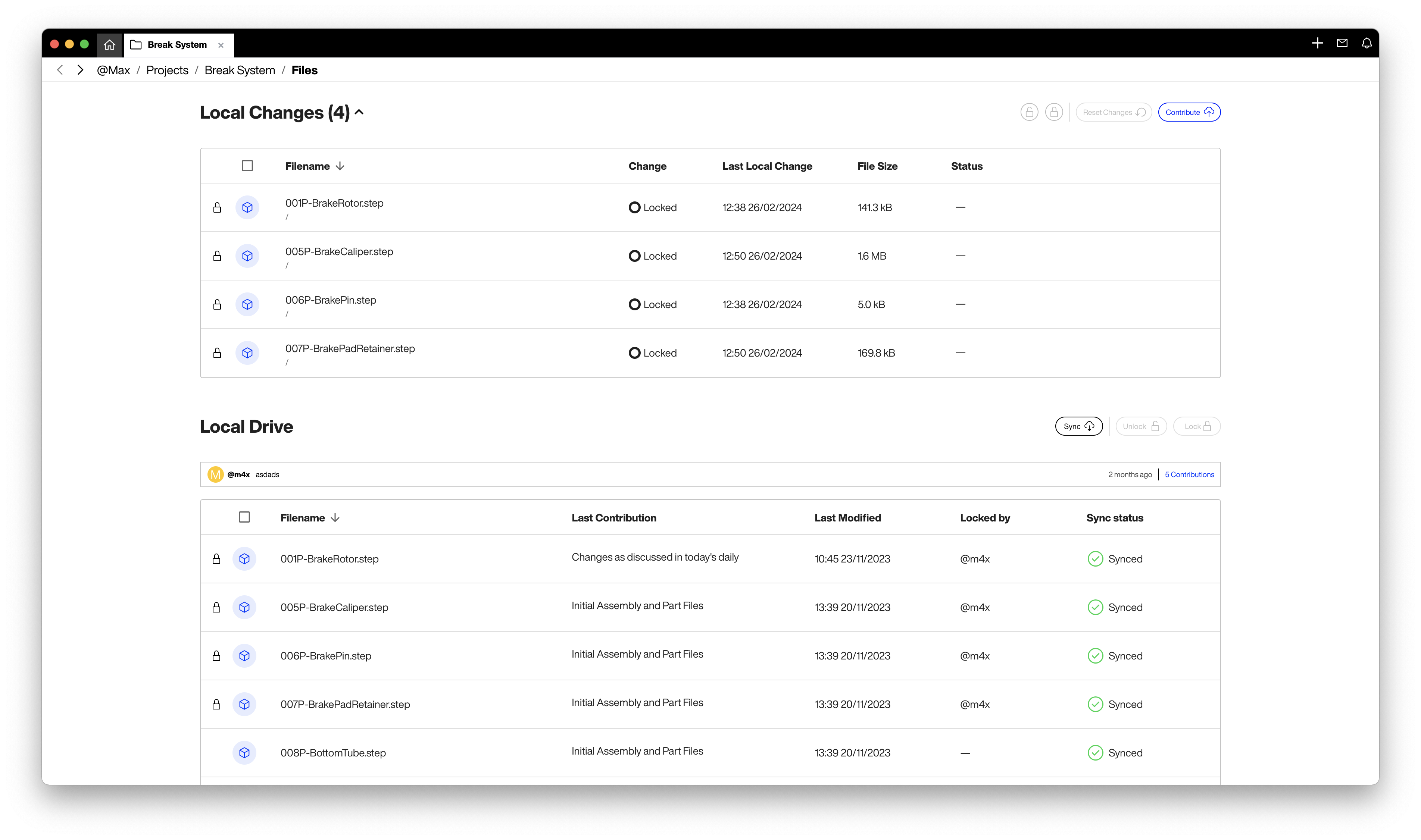
Local CAD files undergo continuous tracking, ensuring that any modifications are monitored in real-time. These changes are conveniently listed and summarized for your review and management.
Sharing Your Work
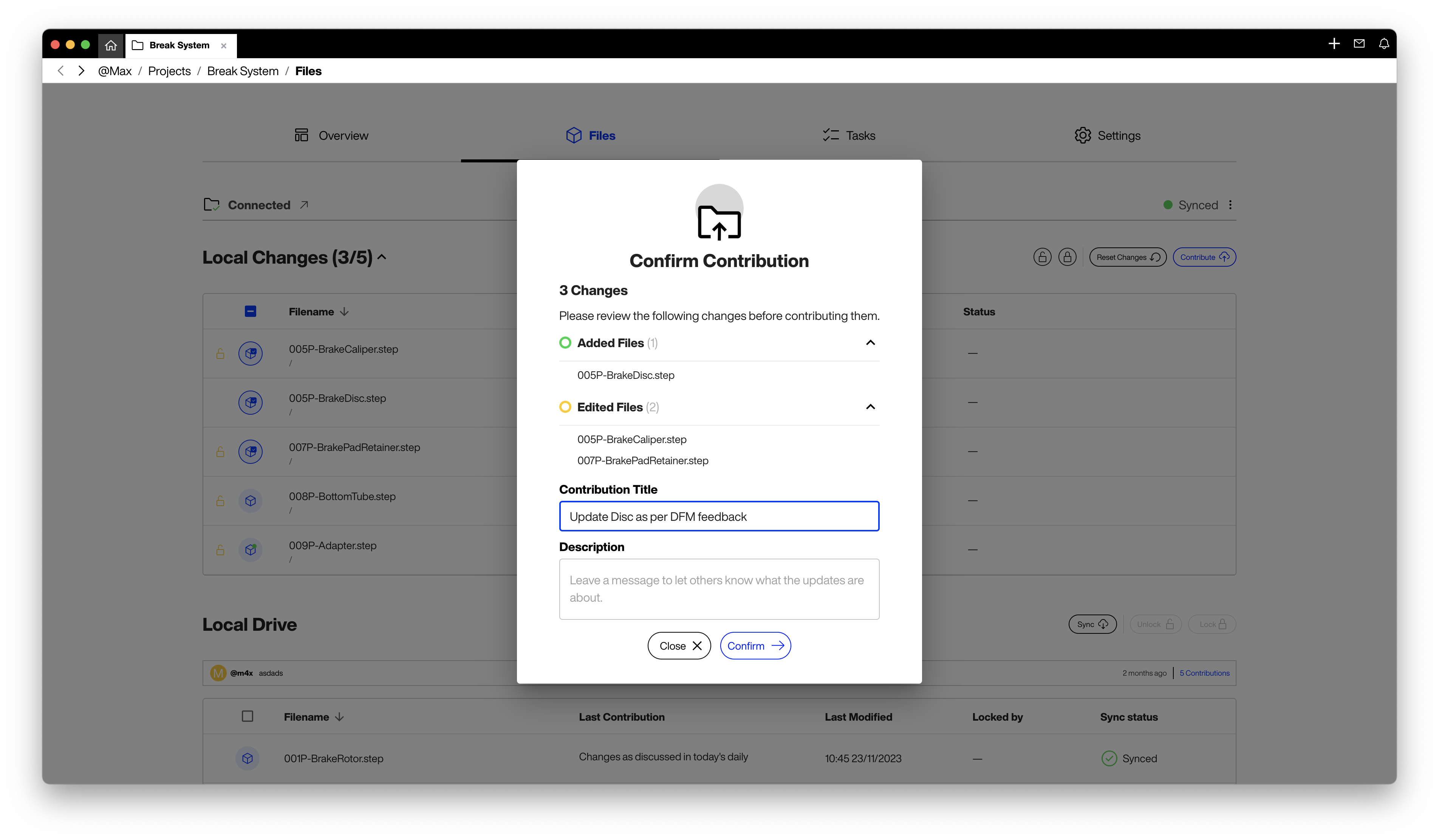
Ready to share your progress with your team? Select the files you wish to upload to the Cloud, provide a title and optional comment for your colleagues, and simply click ‘Contribute’ to sync across all team devices. Need to revert to a previous version? No problem. You can easily disregard changes by selecting the relevant files and clicking “Reset Changes”.
** Get Started Today!**
Wikifactory for Desktop is now available for all our users on Pro, Team and Business plans. We invite you to experience firsthand how it can transform your CAD collaboration and file management. Let’s continue to innovate together, breaking down barriers and paving the way for a new era of product development.
Download the Desktop App by choosing the right installation option that matches your Operating System:
Mac OS - Apple Silicon Mac OS - Intel Windows